
MENO analytics on the Dashboard helps you review customer traffic for an outlet. Analytics are outlet-specific: every view reflects the outlet selected on the Dashboard. When you manage more than one outlet, select the correct outlet before reviewing the data.
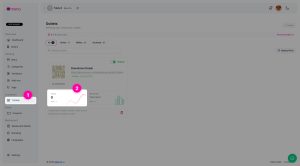
Select the outlet and date range
Open the Dashboard and use the outlet selector to choose the outlet you want to review. MENO then displays analytics for that outlet rather than for the workspace as a whole.
Use the available date-range filter to focus the analytics on the period you want to examine. For example, you can compare activity during a recent promotion with an earlier period by changing the date range and reviewing the same outlet’s views.
Review outlet link and QR code scans
Each outlet has a customer-facing link and QR code. The Dashboard can show scans by location or country for the selected outlet. Use this view to see where scan activity associated with that outlet’s link or QR code is being recorded.
Location and country views are useful when the outlet link or QR code is used across different physical locations, printed materials, or customer touchpoints. Always keep the selected outlet in mind when comparing scan activity, because analytics do not combine data across outlets.
Review visits by source
The Dashboard can also show visits by source. This view helps you understand the sources through which customers visit the selected outlet’s customer-facing experience.
Review this view alongside scan data when you want to assess traffic patterns for an outlet. Scans and visits are presented as separate analytics, so do not treat one figure as a replacement for the other.
Compare scans and visits over time
The scans versus visits visualization lets you compare these two activity types across the selected date range. Use it to look for changes in traffic over time, then adjust the date range or switch outlets when you need a different view.
Depending on what is exposed on the Dashboard, MENO may also show other outlet analytics related to traffic, source, or device data. These views continue to follow the same rule: they apply to the outlet currently selected on the Dashboard.