
MENO shows order-related information for the outlet selected on the Dashboard. Before reviewing figures, confirm that you have selected the outlet you want to assess. Revenue and top-selling items on the Dashboard apply to that outlet; they are not workspace-wide figures.
Revenue: delivered orders in the current month
Dashboard revenue is a current-month figure for the selected outlet. It includes delivered orders only. Orders that have been placed but are not delivered are not included in this revenue figure.
This makes revenue different from a count of every order placed. When reviewing the figure, use it as the Dashboard’s view of delivered-order revenue for the current month and selected outlet.
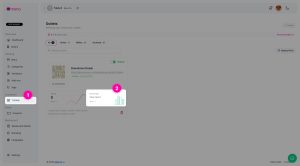
Top-selling items: all placed orders
The top-selling-items calculation uses all placed orders for the selected outlet. It is not limited to orders with the Delivered status.
As a result, top-selling items and revenue use different rules:
- Revenue includes delivered orders only and is shown for the current month.
- Top-selling items are based on all placed orders, not only delivered orders.
Do not expect the two views to use the same order set. An item can affect the top-selling calculation after an order is placed even when that order does not contribute to Dashboard revenue.
Read order status alongside reporting
Each placed order is an immutable transaction record. MENO does not allow merchants to edit the ordered items, prices, customer selections, delivery or customer data after placement. The merchant-side field that can be changed is the order status.
Use the status of an order to understand why it is, or is not, included in Dashboard revenue. For the current-month revenue figure, only orders with Delivered status are included. The top-selling-items calculation follows a separate rule and is based on all placed orders.
When you open an order, MENO shows the recorded order information. Depending on the order, this can include the item configuration and quantity, bill summary, order type, selected payment method, customer/contact information, and delivery-address data. These details describe the order as placed; changing its status does not change its recorded order payload.
Check the right outlet and timeframe
If a reported figure does not match what you expected, first check the selected outlet. Dashboard reporting is outlet-specific. Then check whether you are comparing a current-month revenue figure with an all-placed-orders top-selling view. Finally, review the relevant orders’ statuses, since Delivered is the status used for Dashboard revenue.